Using airlift
airlift moves a file out of a machine that has no network at all. The machine shows the file as an animated QR loop; a phone reads the loop and relays it to a tower on the internet, which puts the file back together, checks it, and lets you download it. Nothing crosses the gap but light.
airlift beam. It never talks to anything — that is what keeps the air gap.Install the CLI
You need the airlift binary on the air-gapped machine (to make beams) — copy it in however files normally get in there. The tower side is already hosted; nothing to install.
Download a release
Pick your platform from the latest release, then make it executable and put it on your path:
curl -LO https://github.com/sujaykumarsuman/airlift/releases/latest/download/airlift-darwin-arm64
chmod +x airlift-darwin-arm64 && sudo mv airlift-darwin-arm64 /usr/local/bin/airlift
Assets: airlift-darwin-arm64, airlift-darwin-amd64, airlift-linux-amd64, airlift-linux-arm64, airlift-windows-amd64.exe, plus SHA256SUMS. On macOS, if Gatekeeper objects: xattr -d com.apple.quarantine airlift.
Or with Go
go install github.com/sujaykumarsuman/airlift/cmd/airlift@latestOr from source
git clone https://github.com/sujaykumarsuman/airlift.git && cd airlift && make airlift # → bin/airliftNeeds Go 1.26 and Node (the web UI is embedded into the binary). airlift --help should then list the two commands, beam and tower.
Make a beam
On the air-gapped machine, point airlift beam at what you want out. It bundles, compresses, chunks the payload into QR frames and writes one self-contained HTML file — the frames as text plus a small encoder that draws each code in the page, so the file is about one and a half to two times the compressed payload — then opens it in the browser.
A folder
airlift beam ./my-repoThe folder becomes a repobundle — git-aware, so .gitignore is respected — named after the folder. The tower unpacks it back into a tree and offers it as a zip.
A single file
airlift beam ./notes.txtSent as-is, named after the file; the tower serves it back as the raw file.
Several files
airlift beam --name evidence report.pdf photo.jpg log.txtSeveral paths are bundled together and need a name — --name, or a name: line in a list file:
airlift beam --files-from list.txt # list.txt: "name: evidence" then one path per lineWhat it prints
  bundle   text format
  gzip          34158 bytes   39.3 % of input
  chunks           27 × 1311 bytes
  mode     fountain (79 packets, LT/robust soliton)
  qr       version 30 (137×137 modules), ECC M, alphanumeric
  loop             83 frames   manifest every 20   8.3 s per pass at 10 fps
  session  0x59e7812e
  output   179.0 KB   built in 4 ms
Small beams (under 24 chunks) play their chunks in order and repeat; larger ones switch to a fountain code automatically, so every pass produces fresh packets and a missed frame never means waiting for the same one to come round. The mode is picked from the size unless --mode says otherwise.
Options
--name NAME | The beam's name (the tower shows it). Required for several files. |
|---|---|
--fps N | Initial frames per second, 1–60 (default 10). Raise it when the scanner's hint says there is room — it names a rate; 12, 15, 20 and 30 sit cleanly on a 60 Hz screen. |
--chunk BYTES | Payload bytes per frame (default: what QR version 30 holds at --ecc, 1311 at M; at most 2712). Bigger chunks mean fewer frames but denser codes. A page-only flag: -s sends the file itself, not frames. |
--version-target V | Pick the largest chunk that fits QR version V (1–40) instead of --chunk. |
--ecc L|M|Q|H | QR error correction (default M). Higher survives glare better, at fewer bytes per frame. |
--manifest-every K | Re-insert the manifest frame every K frames (default 20), so a scanner that starts mid-loop learns the beam quickly. |
--format auto|text|base64 | Bundle format for folders on a page. auto (the default) bundles as text — about 30 % less to send — when every file is text and none holds a boundary marker, else as base64. Page-only: -s sends a folder as a zip, never a bundle. |
--mode auto|sequential|fountain | Frame layout. auto (the default) is sequential under 24 chunks and fountain from there; sequential gives the smallest page and a fixed pass, fountain shrugs off lost frames and lets two phones share the work. Page-only: -s sends no frames. |
--out FILE · --no-open | Where to write the page (default <name>.html), and whether to open it. |
-s LINK · --to-session LINK | Skip the page and send straight to the session at LINK — only from a machine that is not air-gapped. See Send directly. |
--wait DURATION | With -s: how long to wait for a session admin to let you in and to approve the upload, and for a tower that restarts mid-send (default 10m). |
Leave out the path on a terminal — just airlift beam — and it asks what to beam and where; several files without --name are asked for a name. In a script nothing is asked: a missing input is an error naming the flag.
Show it
Open the HTML on the air-gapped screen. The page is black with only the code bright, so a camera exposes for the QR; make it full-screen and leave it playing.
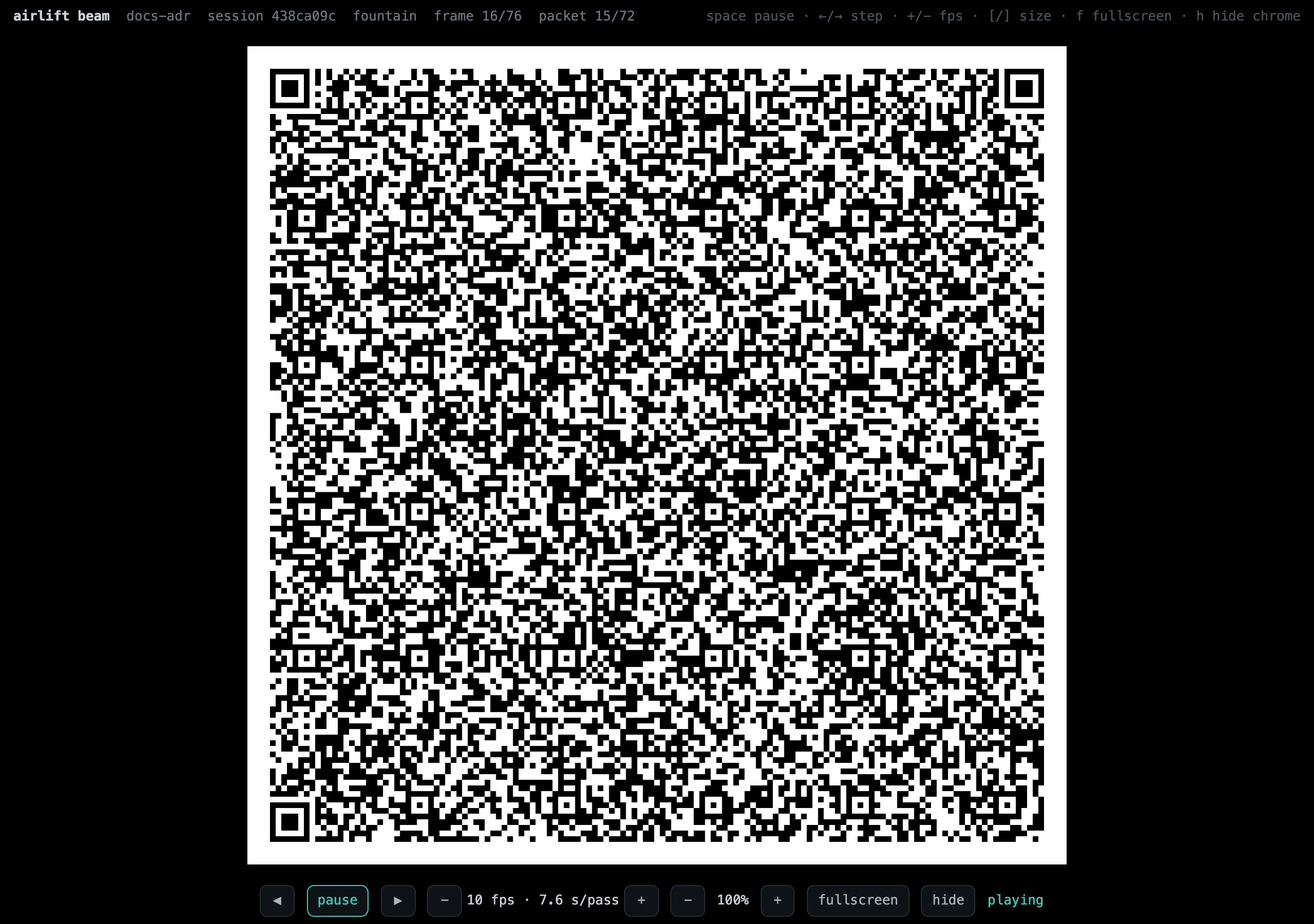
space · ←/→ · +/− · [/] · f · h.- Size —
[/]scale the code 40–100 %. Smaller can decode better when the phone is close and the screen is large. - Speed —
+/−change the fps live. Watch the scanner'sbeam ~N fps · K× each. A sequential beam needs every frame, so keep each read about 2.5×; a fountain beam only needs fresh frames, so it can run until they are read about 1.5×. The scanner's hint suggests the rate. - Chrome —
hhides everything but the code;fgoes full-screen.
Receive it
-
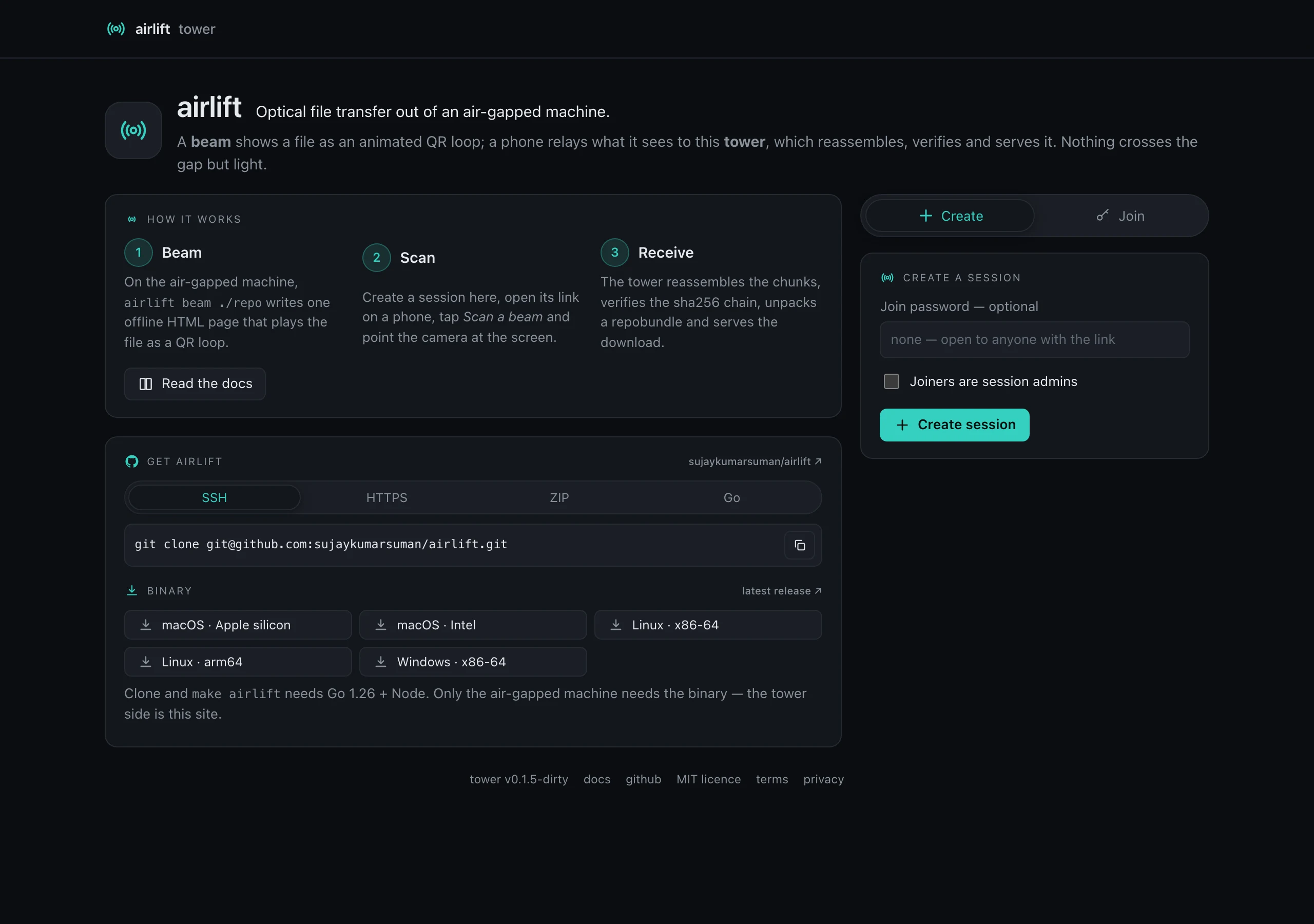
Create a session on the tower's home page (a join password is optional; tick Joiners are session admins if you want everyone to be able to end it).
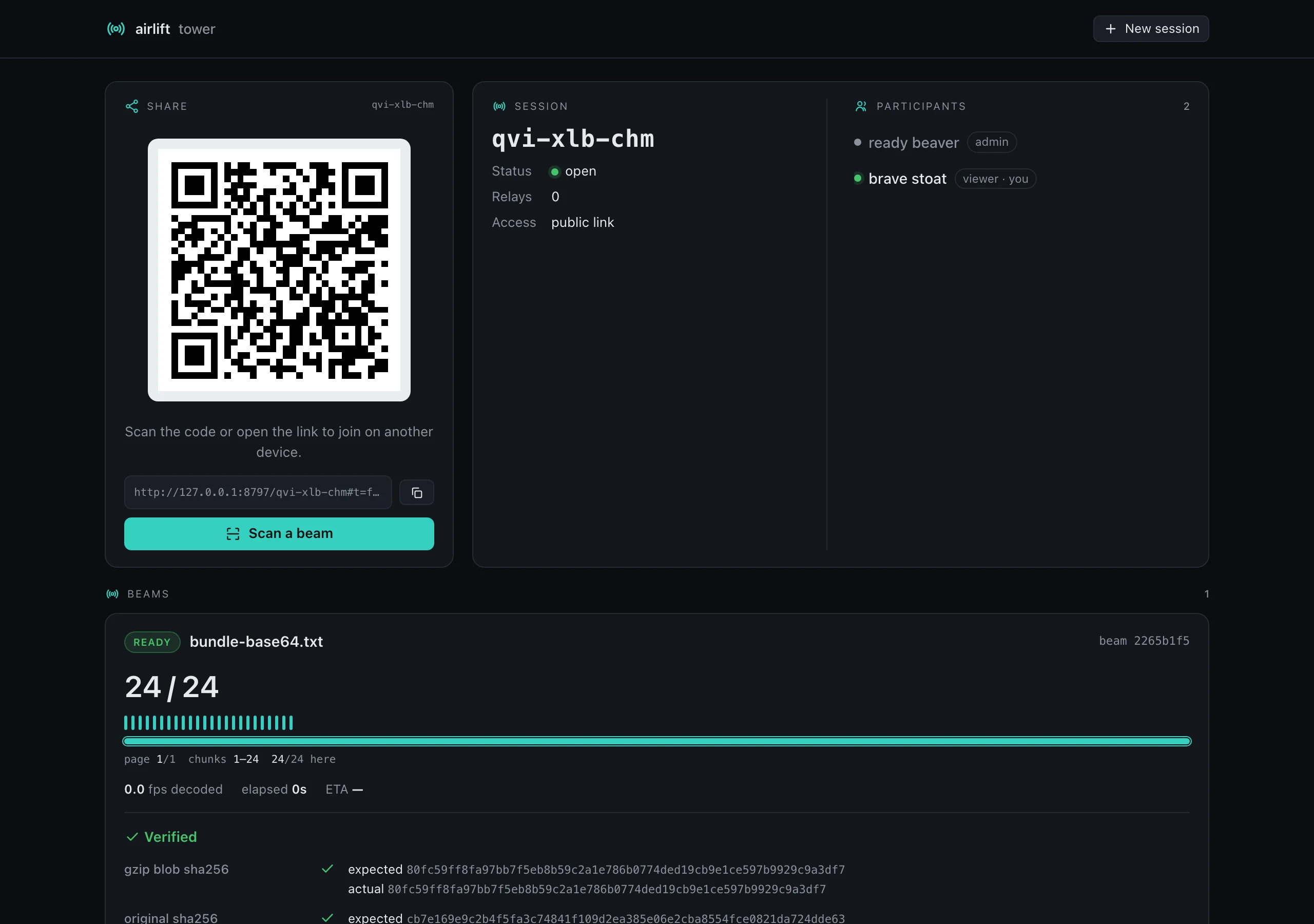
- Open the session on the phone — scan the QR on the dashboard or open the link. The phone joins the same session and sees the same dashboard.
-
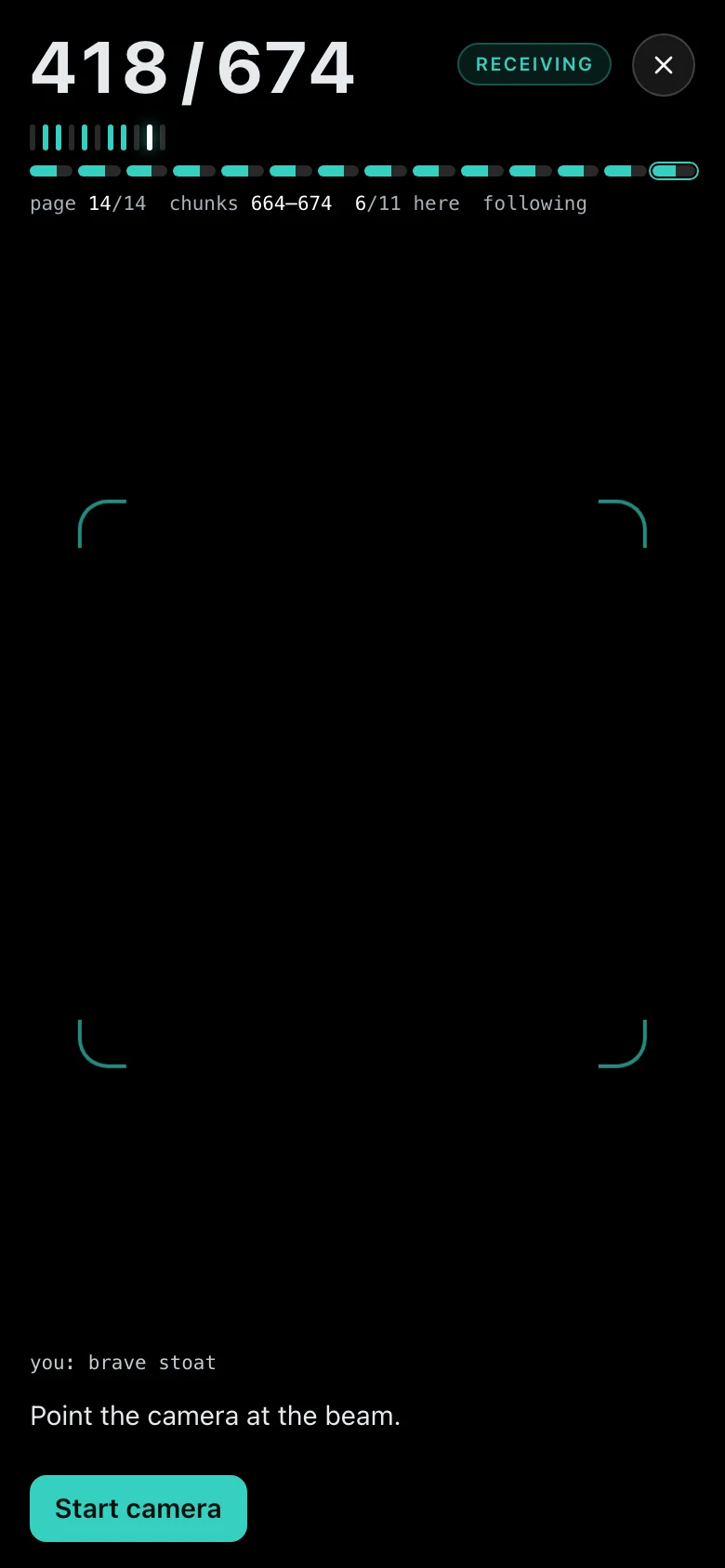
Tap Scan a beam and point the camera at the screen. The HUD counts chunks as they land — one tally mark per chunk, a minimap of pages, and the rates: the camera's fps, the beam's as seen, and how many times each beam frame is read. The camera opens at 60 fps where it can; the fps menu beside the camera menu picks another rate, and a hint names the one change that would scan faster — a faster beam, a higher camera rate, or a faster camera (on a phone with several rear lenses, usually the main 1× one). The scanner stops itself and offers to close once the beam is whole.
-
Watch the dashboard. Each beam is a card: chunk marks while receiving, then the verification — gzip sha256, original sha256, every file's sha256 — and the downloads: the raw file, or the unpacked tree as a zip.
Send directly
When the machine with the files is on a network, the page, the screen and the camera are overhead. Give airlift beam the session's link instead:
airlift beam ./my-repo -s 'https://projects.sujaykumar.dev/airlift/qkf-mzt-bwp#t=…'It joins the session as a sender, asks leave to upload, and then sends the file itself — no frames, no page — streaming it from disk to the tower's disk, so a file of gigabytes goes as easily as a note: up to the tower's limit, 5 GiB by default (a beam scanned off a screen stays within 64 MiB). The file is kept exactly as it was sent — no repobundle; a folder or several files go as one zip, built in a temporary file. Quote the link — the # and & in it mean something to a shell.
- Getting in. A share link carries the session's token, so it joins at once. A password session's link (the id alone) makes it ask for the password, typed without echo. A public session's bare id makes it knock, and it waits for a session admin to let it in.
- Approval. Session admins see the beam's name and size under Upload requests on the dashboard, with Approve and Deny; the sender shows among the participants with a
sendertag while it waits. An approval admits exactly the beam that was described, once. A sender that is itself a session admin is approved at once. - Waiting. The CLI counts down
--wait(default 10 minutes). If the run ends early for any reason — nobody decides in time, Ctrl-C, a lost connection — it withdraws the request and any half-sent beam is discarded, so nothing is left for an admin to approve. - Sending. A progress bar shows the bytes sent, the rate and the time left; parts that compress go gzip-encoded, and a dropped connection picks up where the tower's copy ends. The tower checks the sha256 as the bytes land and keeps the file as it is, and the CLI prints the verdicts and the dashboard link to download from. It exits
0only when the beam is READY. A tower refuses up front an upload over its limit, or one its disk cannot hold. - Downloading. The dashboard hands each download to the browser's own download manager through a short-lived link, so a large file shows its progress there and goes straight to disk.
A run against a tower on the same machine, approved from its dashboard:
airlift beam  adr.zip → session frc-fuz-dob
  archive  zip of 24 file(s), sent as it is
  input         49944 bytes   sha256 46471c140ecca343…
  tower    127.0.0.1:8797 (v1.1.0) · session frc-fuz-dob
  access   share link · you are "clever swift"
  approval approved by nimble sparrow
  sent     48.8 KB in 4 ms (11.4 MB/s)
  verify   input sha256 ok
  ready    beam 94b68ddc "adr.zip" — download it from http://127.0.0.1:8797/frc-fuz-dob
The approval gives a session's admins the say over what the command line adds; it is not a lock — anyone holding the session's link can already relay frames, as a phone's scanner does. And this is for connected machines only: on an air-gapped machine the page is still the way out — nothing there can reach a tower, and it never tries.
Sessions & people
- A public session's link carries its token — anyone with the link is in. A password session's link is the id alone; joiners enter the password. Someone with only the id can knock, and a session admin admits or denies them.
- Participants are devices: your laptop and your phone are two entries, each with its roles (
viewer,relay, orsenderfor a CLI sending directly). A session admin can evict one. A sender leaves the list once its run ends. - Lifetime — a session stays alive while anyone is connected, up to 24 h; the last 30 minutes show a countdown and a +1 h for admins. If everyone leaves for 30 minutes it is suspended: opening its link reopens it. End session keeps the downloads for an hour; Delete now removes everything at once. Both live under the ⏻ menu in the nav.
Tips & troubleshooting
- Distance and size. Fill the viewfinder with the code without touching its edges. If decodes stall, shrink the code (
[) rather than backing the phone away. - Glare and light. A dark room and a matte screen decode best; the page is already black for that reason. Tilt the screen a few degrees if a reflection sits on the code.
- The counters.
newis frames the tower had not seen;dupis repeats (normal — the loop repeats);badmeans a frame decoded but did not parse, usually motion blur — hold still. - Missing chunks. A sequential beam fills them on its next pass; a fountain beam keeps producing new packets, so just keep pointing. The minimap shows which pages are still short.
- "Already received". The scanner tells you when the loop on screen is a beam the session already has. Show the next beam, or start a new session.
- Several beams, one session. A session holds many beams; beam a folder, then a file, then another folder — each lands as its own card.
Reference
airlift beam PATH… | Make a beam page from a folder, a file, or several files. |
|---|---|
airlift tower | Run your own tower (settings in ~/.airlift/config; every key is also a flag). See HOSTING for the reverse-proxy setup. |
| Protocol | PROTOCOL.md — the frame header, base45 QR frames, the loop schedule and the fountain code. |
| Bundle format | BUNDLE.md — the repobundle text format a folder is packed into. |
| HTTP API | API.md — sessions, clients, frames, events, downloads. |
| Decisions | docs/adr — every locked decision, with its reasoning. |